

The product
Everything in TurfWise, by the part of the job it carries.
Nine workspaces, one record. Each one is listed below with what it does and which plan it's on. Core is free for good; Premium is the whole club.
Today Core
Where things stand, in one sentence.
The day's answer before the first shift, during it and after the last job: who's in, what's planned, what needs a decision, and what's waiting on you.
“What have I missed? Where do I start?”
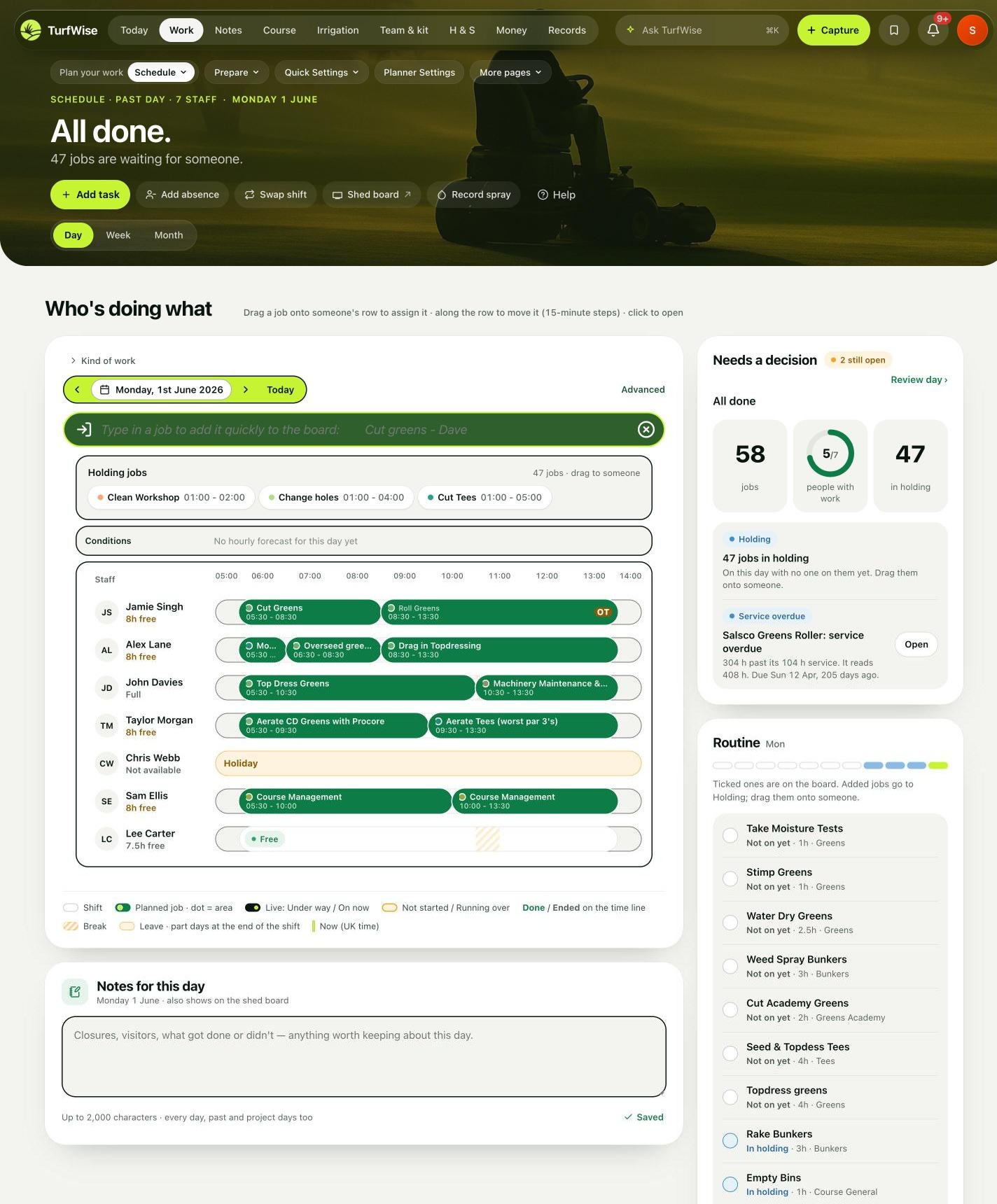
Shown with the Work schedule until a planned Today is captured.
- CoreDay answer card — “Is today sorted?” / “How's today going?” / “How did today go?” with the figures behind it
- CoreNeeds a decision — clashes, machine conflicts and uncovered jobs, raised from the plan
- CoreCrew in — who's clocked in against who's rostered
- CoreSpray window word — for the day, from the weather feed
- CoreWaiting on you — leave requests, sign-offs and approvals in one list
- CoreNotifications — faults, near misses and overdue checks as they're reported
- CoreShed board — a tablet view of the day for the wall
- CoreUniversal search (⌘K) — across jobs, people, machines and documents
Work Core + Premium
Plan the day. Keep it moving.
The schedule is a board of people and hours. Drag a job onto someone, move it along the row, and the plan is on their phone. It knows who's off, which machines are available and when the weather closes a window.
“Will this day actually work? Does everyone know what they're doing?”
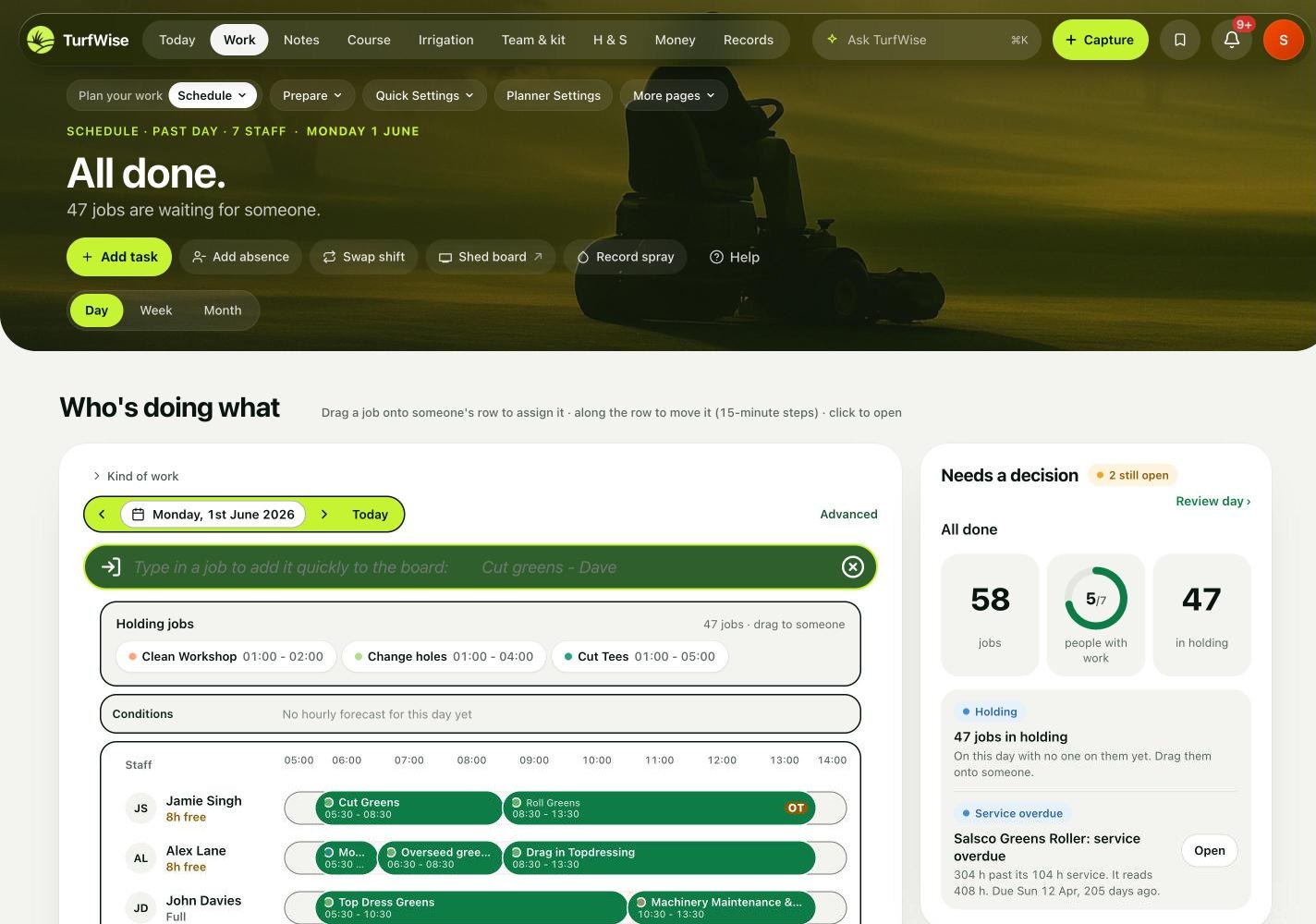
- CoreSchedule — day, week and month views; drag-and-drop in 15-minute steps
- CoreType in a job — “Cut greens – John” becomes a planned job
- CorePaste a list — and it becomes jobs
- PremiumPhoto of the diary — read into jobs
- CoreClash and machine checks — over-allocated people, double-booked kit, uncovered jobs
- CorePlan the week ahead
- PremiumAuto-draft my week
- CoreCourse Activities — the standing jobs by area, with frequencies
- CoreCourse closures — with history
- CoreJobs backlog — the things that aren't today
- CoreMachines on jobs — set at the desk and pushed to the phone
- CoreHours against jobs — for every day that's been worked
- PremiumEvents prep — tournament and competition run-ups as a plan
- PremiumCalendar import & export
Notes · Capture · Chat Core
Where the job is, not where the office is.
A photo of the 7th, a note about the wet corner on the 12th, a voice memo in the truck, a message to the person on the mower. All of it attached to the job, the area or the machine it's about.
“Will I remember this? Did it reach them?”
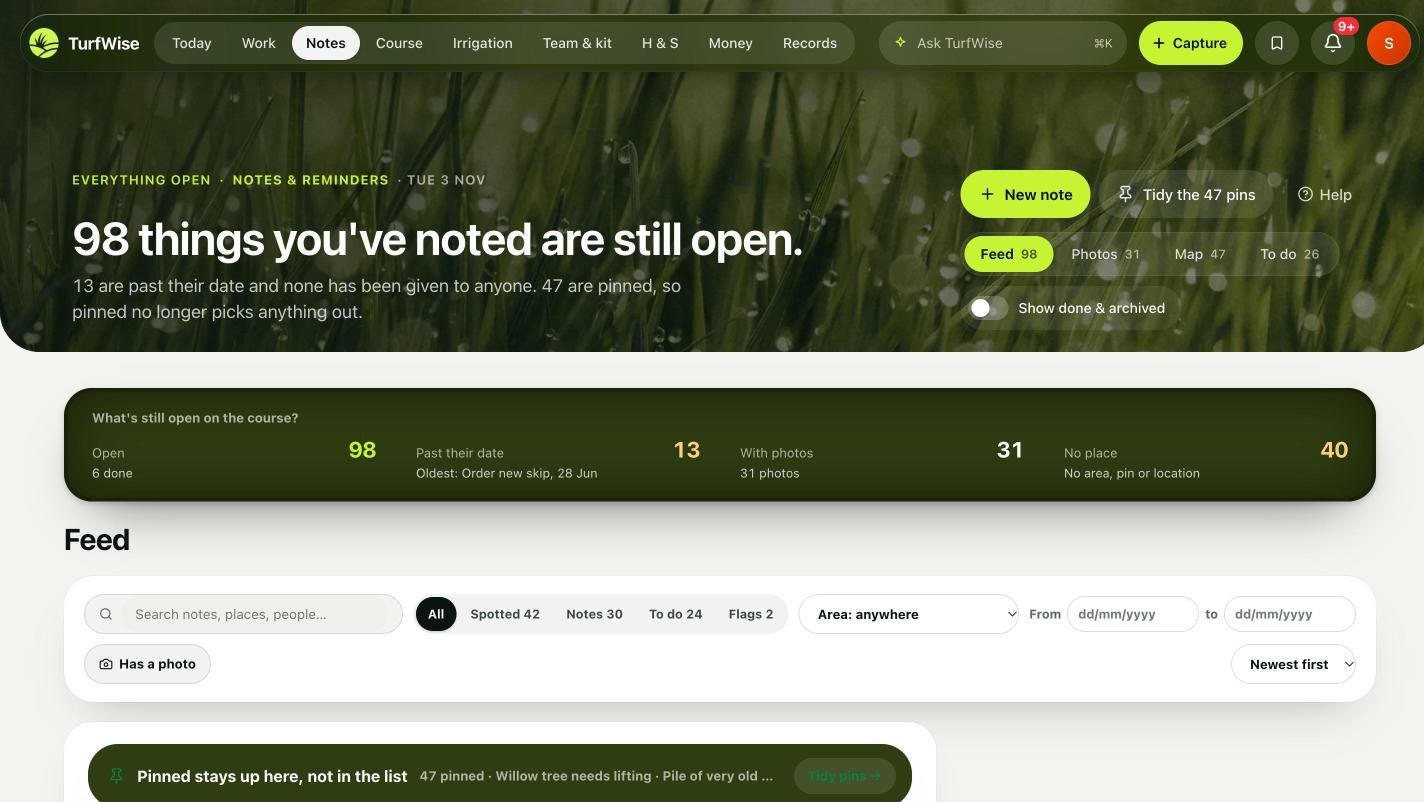
- CoreCapture — the lime button: job, photo, fault, stock, spray, note, in a few taps
- CoreNotes & reminders — pinned to areas on the course map
- CoreVoice notes — and the daily log
- CoreJournal — the day written up from what was captured
- CoreChat — tied to jobs, areas, machines and requests, with photos
- CorePhoto library — every photo, by date, area and job
- CoreQuick log / quick note — from any page
- CoreContact & support — that reaches a person
Course Core + Premium
The evidence behind every call.
Weather, readings, sprays, feeds and observations in one record, so the next decision — cut, roll, spray, hold — has the course's own data behind it, and so does the explanation afterwards.
“Am I making the right call for the course? What's changing?”
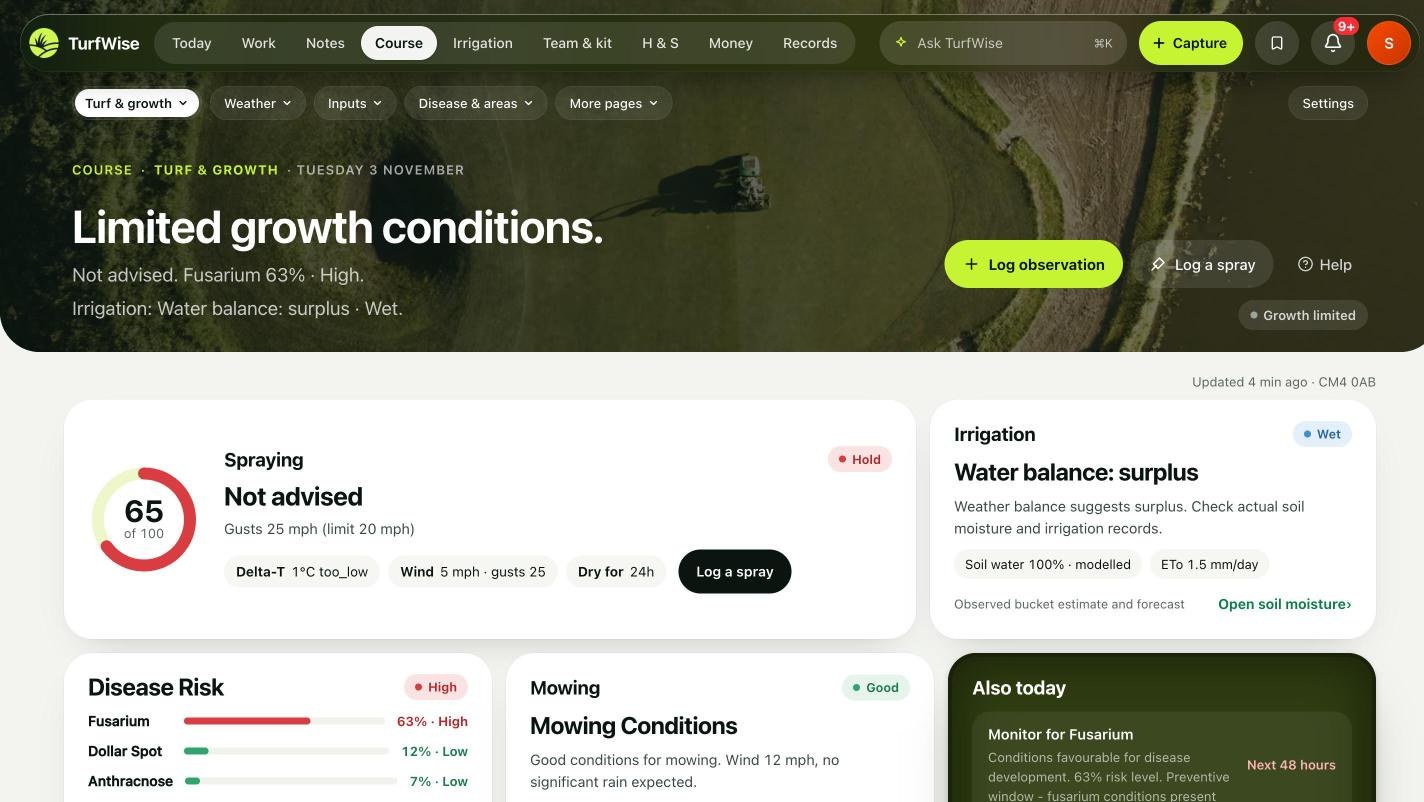
- CoreWeather and rainfall — records for the course
- CoreCourse areas — and the area map traced on satellite imagery
- CoreSpray & fertiliser logger — the application record
- CoreGreens speed, clipping yield, green quality — readings recorded at the desk
- CoreFungicides guide — and course knowledge for the next head
- PremiumWeekly outlook — disease pressure, growth and spray windows for the week
- PremiumDisease & stress models
- PremiumGrowth potential & GDD, ET₀
- PremiumReadings from the phone — greens speed and the rest, recorded on the green
- PremiumPGR tracker, nutrients report, lab testing
- PremiumTreatment vs response — and agronomic outcomes — did it work?
- PremiumAgronomy reports
Irrigation Premium
Know the system. Know the water.
Tonight's watering, what went on last night, where the moisture is, what the pumps are doing and where the weak pipe is — with a designer to draw the real network and test changes before anyone digs.
“Are we watering right? Could we deal with a failure?”
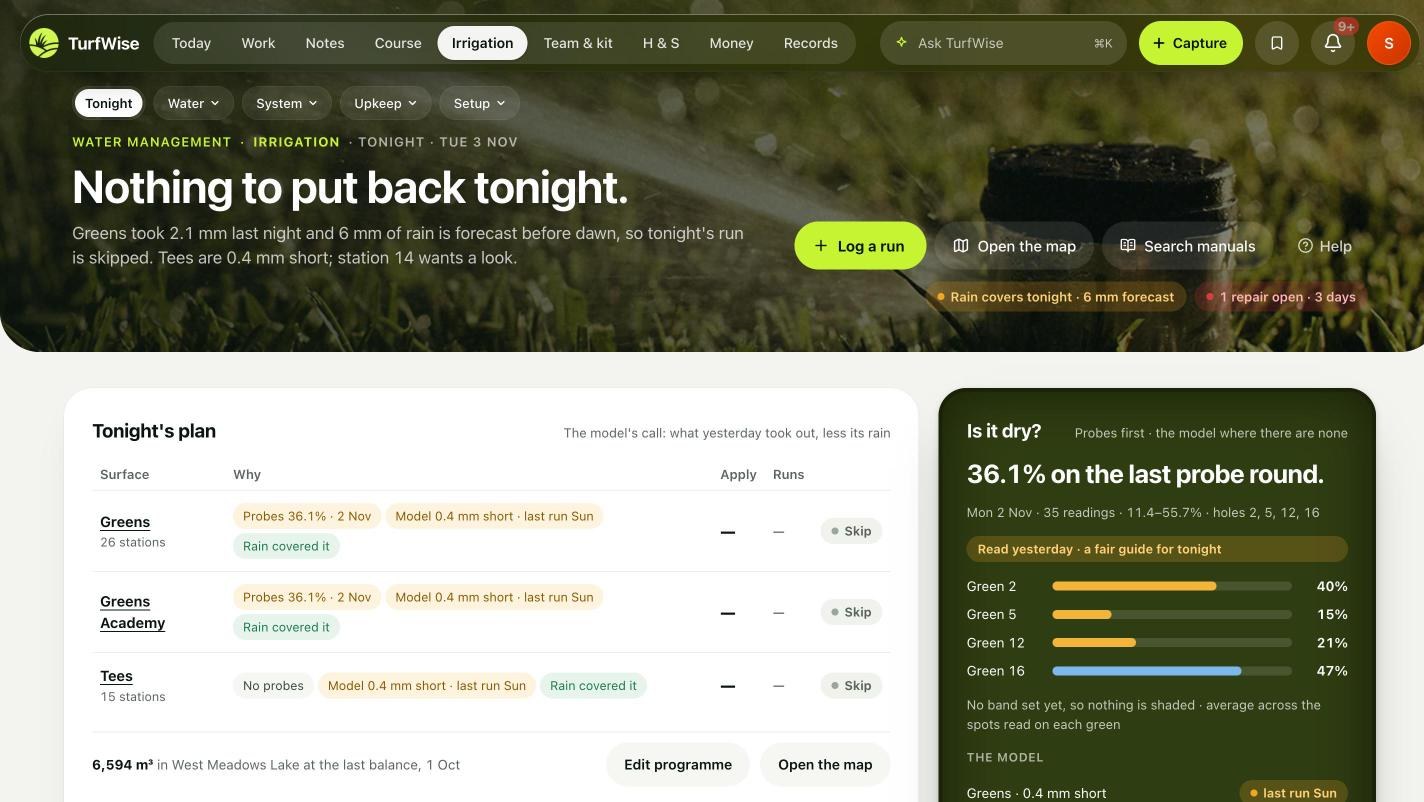
- CoreMeasured soil moisture — probe readings by area
- PremiumTonight — the watering schedule and what it will apply
- PremiumWater applied, water storage — meters and licences
- PremiumIrrigated surfaces — stations and heads
- PremiumPressure tests — field repairs and seasonal checklists
- PremiumPlans & documents — and data import from the controller
- PremiumIrrigation System Designer — draw the network, hydraulic modelling, PDF plans for quotes
Team & kit Core + Premium
The people and the machines, as they actually are.
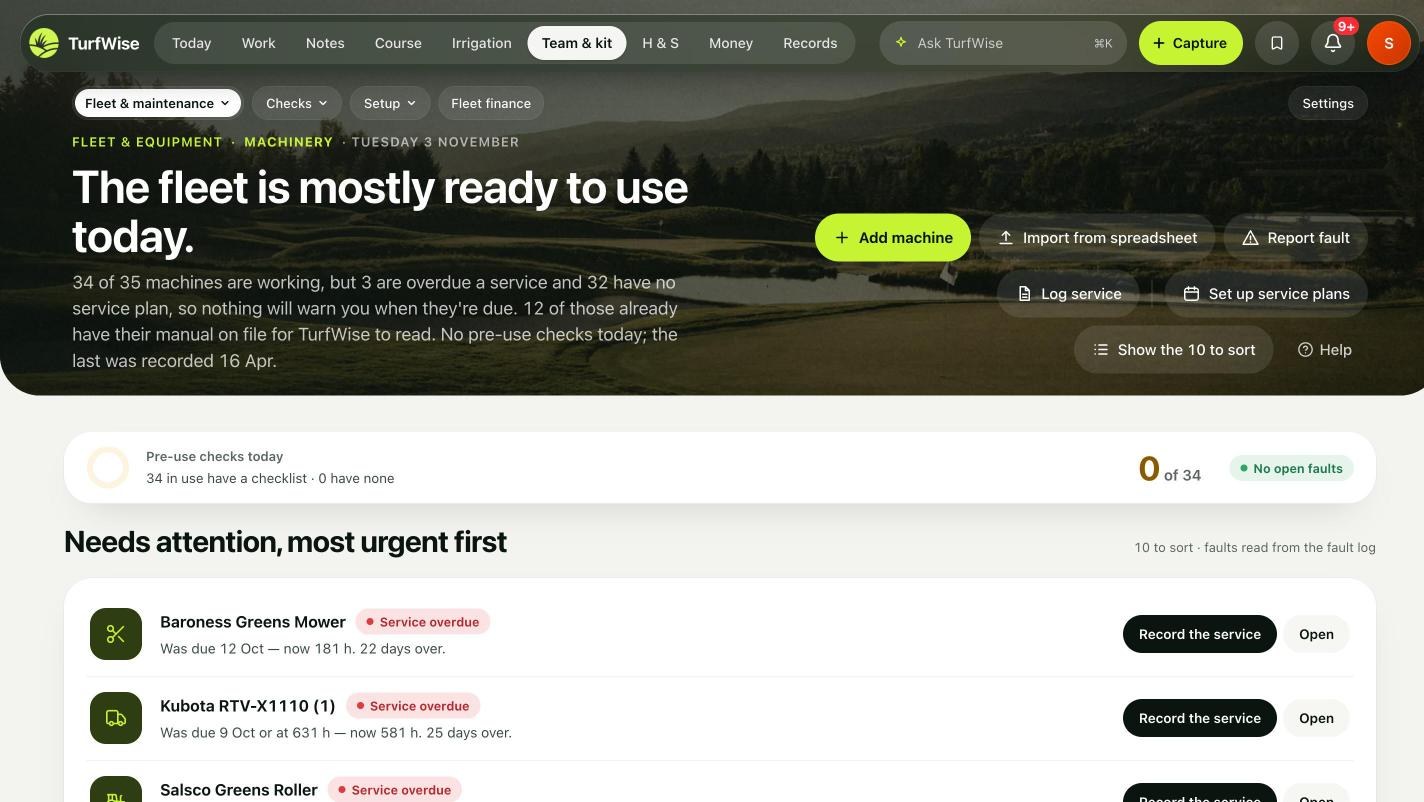
Who's in, who's off, who's trained for what; which machine is where, what it's cost and when it's due. The plan reads from both.
“Have I got the people and the kit for this?”
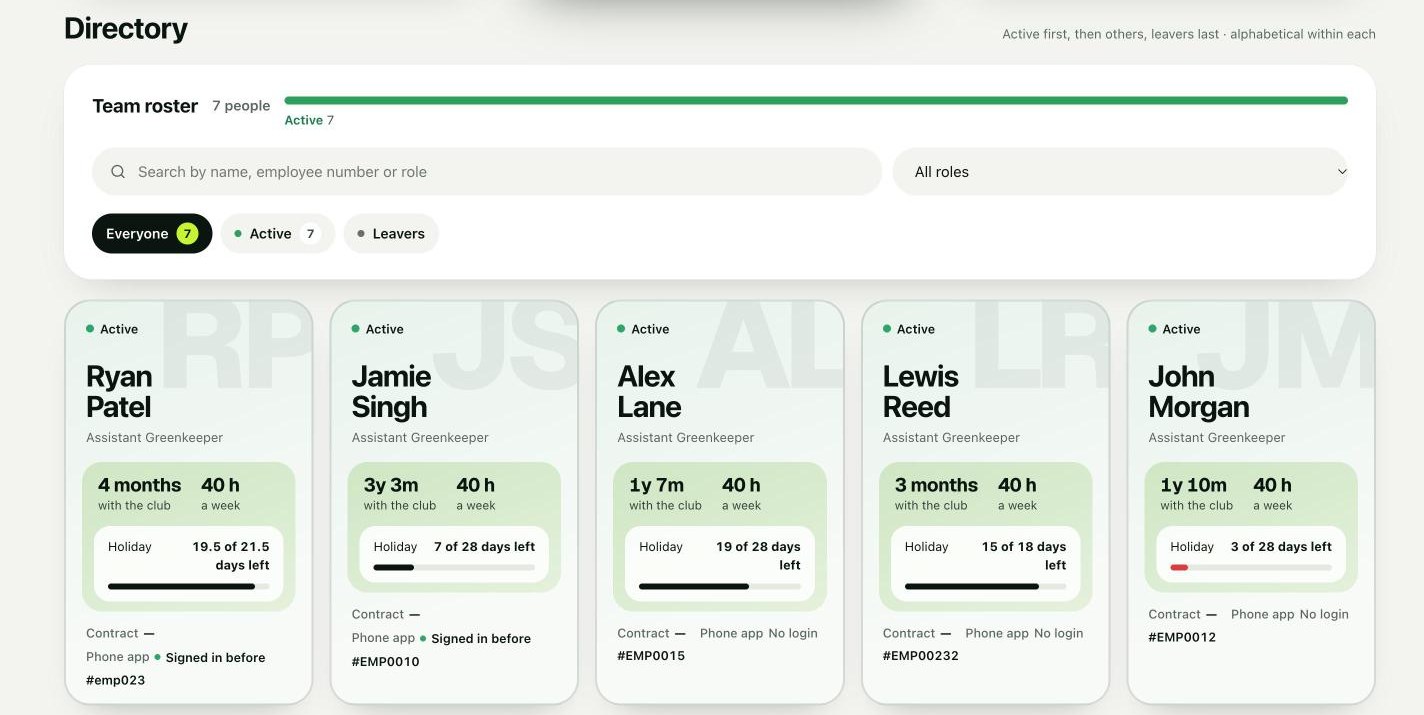
- CoreStaff directory — and profiles; phone logins for the crew
- CorePersonal clock in / out — on the phone
- PremiumAttendance & leave — rotas, timesheets, leave, TOIL and approvals
- PremiumSkills & training — competency sign-offs and certificate expiry
- PremiumPerformance — and HR records
- CoreMachinery register — faults, pre-use checks and checklists, QR tags
- CoreService records — height of cut and usage
- PremiumService schedules — what's overdue and the maintenance plan
- PremiumFleet finance — fuel and lifecycle costing
- PremiumKnowledge library — the manuals, read into cited facts
- Shed kiosk — tablet PIN sign-in
H & S Premium
Prepared, reported, followed through.
Assessments and COSHH to prepare the work; incidents, near misses and unsafe conditions reported from the phone; follow-ups that stay open until you've checked them; a dated record for the day someone asks.
“Am I looking after my people properly? Was that dealt with?”
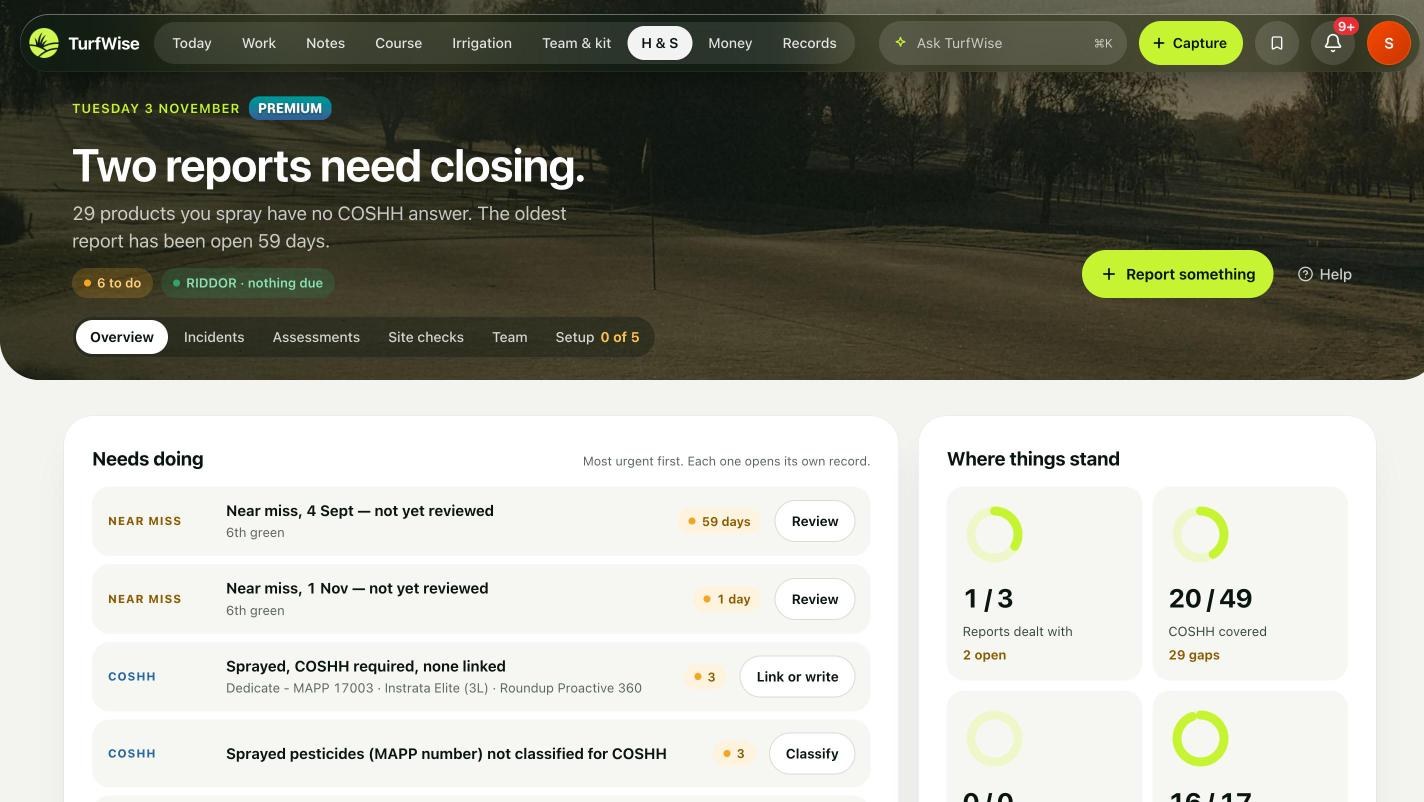
- CoreReport an incident or near miss — and My safety — free on every plan
- PremiumOverview — what's open, what's overdue, what's waiting for your check
- PremiumIncident review — near misses and unsafe conditions, with RIDDOR flags
- PremiumRisk assessments — safe systems of work and PPE by kind of work
- PremiumCOSHH — with the SDS library and the spray record behind it
- PremiumChecks and inspections — done and due
- PremiumToolbox talks — read and signed
- PremiumFollow-ups — owner, next step, your sign-off; evidence packs
Money Premium
See the spend building, not the surprise.
Invoices, orders and stock land against the right budget line as they happen, so the month's figure is already there — and the forecast tells you in October what December looks like.
“Am I going to get a surprise at month end?”
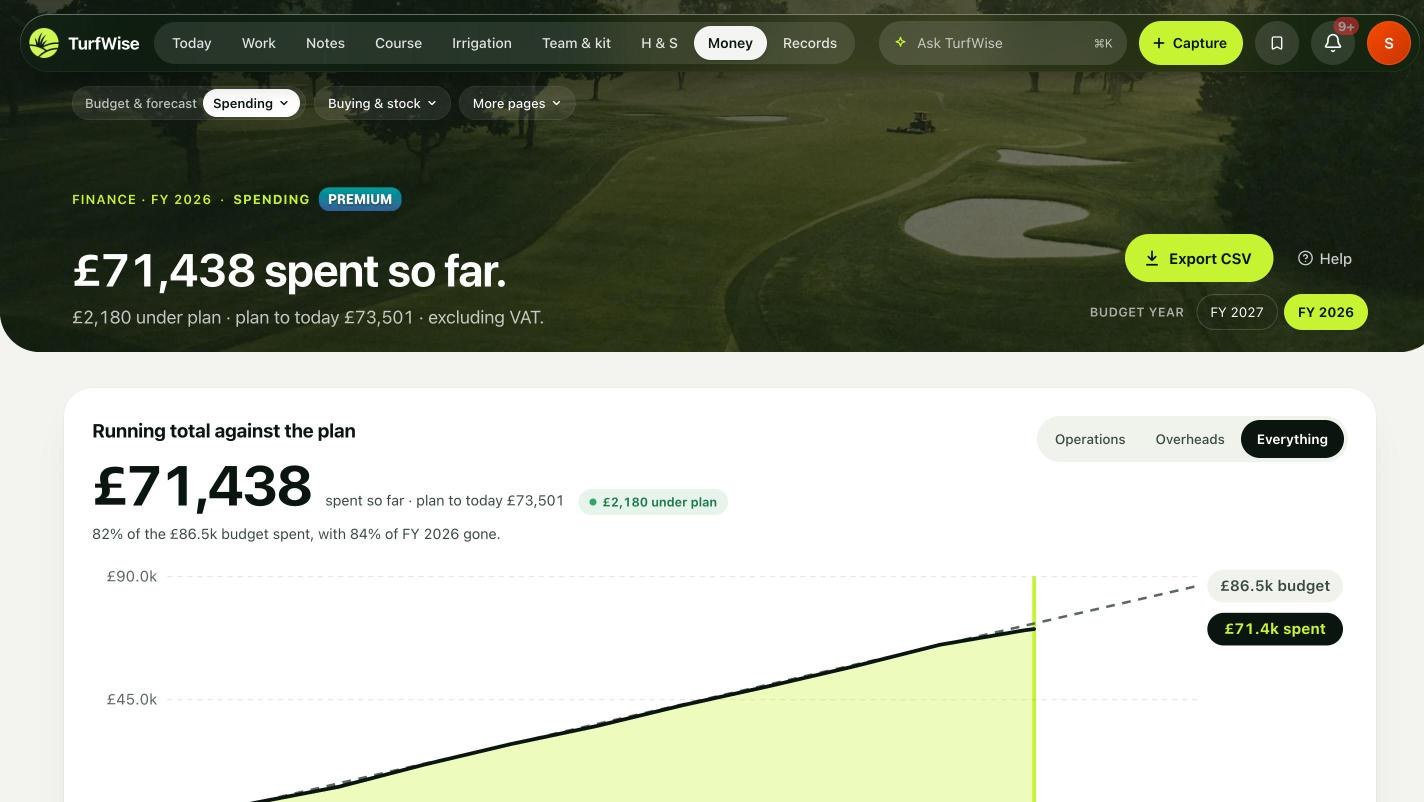
- PremiumBudget — by line, spending by month, forecast to year end
- PremiumBudget alerts — variance, and the budget planner for next year
- PremiumInvoices and purchase orders
- PremiumPrice lists, compare prices, suppliers
- CoreStock — products and levels
- PremiumStock usage — and adjustments
- PremiumFinancial reports — for the finance manager and the committee
- PremiumProjects — plans, Gantt, bill of quantities, contractors, budget and photo timelines
Records Core + Premium
The report, the history and the evidence.
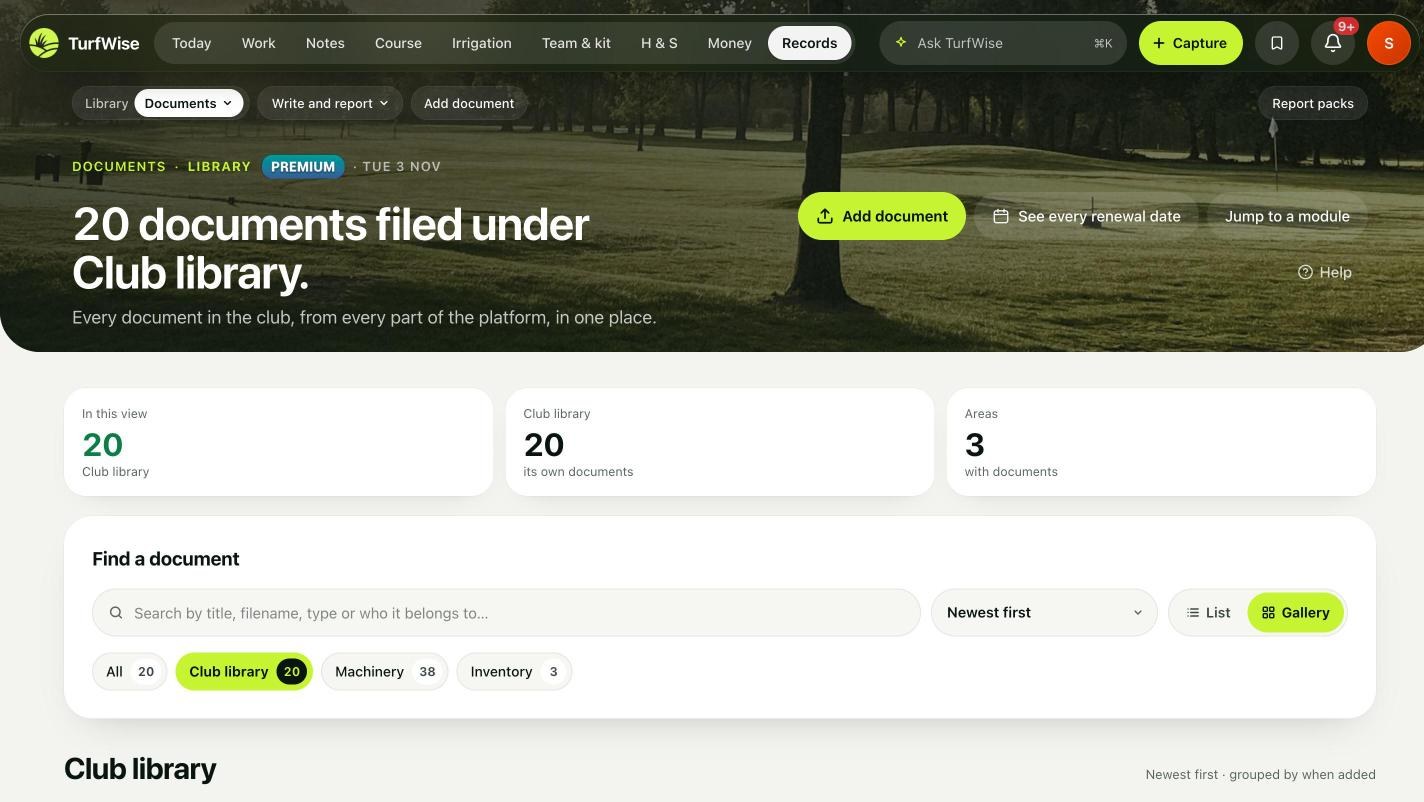
Every document the club has, in one library with a reader. Reports drafted from the record — weekly, monthly, committee — and a members' page that tells the clubhouse what the team did this week.
“Can I show what we did, and why?”
- CoreMembers' page — a public page and clubhouse poster of the week's work
- PremiumLibrary — one index over every file store, with an in-app reader
- PremiumWrite — document authoring with club branding
- PremiumWeekly and monthly reports
- PremiumCommittee reports — with approval
- PremiumBoard packs — executive report and evidence brief
- PremiumAnalytics — task costs, spend & resources, condition, staff, fleet, compliance
- PremiumExport centre — PDF and Excel when someone needs the file
- PremiumFull history — Core keeps every record; Premium opens the lot
Ask TurfWise Core, with a quota
Ask the record a question.
“When were the greens last sprayed?” “Who's off next week?” “What did sand cost this year?” Answered from your club's own jobs, sprays, leave and spend — never from elsewhere.
Q Spend on bunker sand this year?
A £1,860 across 4 invoices (Feb, Apr, Jul, Sep). £640 under last year. From Purchases. Example answer.
The phone app Core
The crew's half of the day.
Today's jobs, Capture, clock in, pre-use checks, faults with photos, near-miss reports, chat. Works one-handed in the rain; syncs when it gets signal.
Core free on every plan · Premium the paid plan · untagged lines are being confirmed — ask us.
Everything on this page.